

October 30, 2026
10+ Best AI App Builders & Vibe Coding Platforms in 2026: Ranked & Reviewed

Nusrat Sarmin

Introduction
Most tools marketed as AI website builders only generate static brochure pages, basic text blocks, and stock photo layouts. If you just need a simple marketing site or portfolio, our roundup of the best AI website builders and best no-code website builders covers the top options for fast page creation.
A working web application is a different job. When founders and product teams talk about AI app builders and vibe coding platforms in 2026, they mean software that turns natural-language prompts into full-stack applications with user authentication, relational databases, API routes, payment webhooks, and clean code export.
At StaticMania, our engineering team builds custom Next.js, Astro, and headless SaaS products every day. We tested the leading AI app generators and vibe coding environments to see which ones actually produce maintainable React and TypeScript code, handle backend state without breaking, and support real production deployments.
Our ranking of the 10+ best AI app builders and vibe coding platforms in 2026 follows, with stack details, pricing, pros, and cons for each tool.
Best AI app builders of 2026 at a glance
- Lovable: Best for full-stack React and Supabase SaaS MVPs with two-way GitHub sync.
- Bolt.new (by StackBlitz): Best for instant browser-based full-stack prototyping using WebContainers.
- v0 (by Vercel): Best for production-grade Next.js, Tailwind CSS, and shadcn/ui frontend applications.
- Replit Agent: Best for zero-setup prompt-to-deployed web apps with built-in cloud hosting and Postgres.
- Cursor: Best AI-native code editor for developers building and scaling production codebases.
- Windsurf: Best agentic IDE for multi-file context awareness and automated terminal workflows.
- Bubble AI: Best visual no-code web app platform with native database and workflow automation.
- Softr AI: Best for building client portals, CRMs, and internal business tools on top of existing data.
- Glide AI: Best for turning spreadsheets and SQL tables into mobile-first operational apps.
- WeWeb AI: Best for building visual enterprise frontends connected to external backends like Xano or Supabase.
| Rank and tool | Best for | Frontend stack and code export | Backend and database support | Starting price (2026) |
|---|---|---|---|---|
| 1. Lovable | Full-stack SaaS MVPs | React, Vite, Tailwind CSS (Full GitHub sync) | Native Supabase (Postgres, Auth, Edge Functions) | Free tier; Paid from $20/mo |
| 2. Bolt.new | Browser-based full-stack apps | React, Next.js, Astro, Vue, Svelte (Full code download/GitHub) | Supabase, Firebase, Node.js in WebContainers | Free tier; Pro from $20/mo |
| 3. v0 by Vercel | Next.js & Tailwind UI systems | Next.js App Router, React, Tailwind, shadcn/ui (Full CLI/code export) | Vercel Postgres, Supabase, Neon, Server Actions | Free tier; Premium from $20/mo |
| 4. Replit Agent | All-in-one prompt to live app | React, Python, Node.js, Flask (Full repo export) | Built-in Replit Postgres, Auth, Object Storage | Core from $20/mo (billed annually) |
| 5. Cursor | Production software engineering | Any stack: Next.js, Astro, TypeScript, Python, Go (100% local code) | Any database or cloud backend | Free Hobby tier; Pro from $20/mo |
| 6. Windsurf | Deep codebase refactoring | Any stack: React, Next.js, Node, Rust, Python (100% local code) | Any database or API architecture | Free tier; Pro from $15/mo |
| 7. Bubble AI | Complex no-code SaaS logic | Proprietary visual DOM (No source code export) | Built-in Bubble Database & API Connector | Free prototyping; Starter from $29/mo |
| 8. Softr AI | Client portals & internal tools | Hosted responsive web blocks (No code export) | Airtable, HubSpot, Notion, Google Sheets, SQL, Supabase | Free tier; Basic from $49/mo |
| 9. Glide AI | Mobile-friendly business apps | Hosted adaptive PWA interface (No code export) | Glide Tables, BigQuery, SQL, Excel, Airtable | Free tier; Maker from $49/mo |
| 10. WeWeb AI | Decoupled visual frontends | Vue.js / standard SPA code export on select plans | Supabase, Xano, REST APIs, GraphQL, Airtable | Free workspace; Starter from $39/mo |
1. Lovable: Best for full-stack React and Supabase SaaS MVPs

Best for: Non-technical founders and product teams building full-stack SaaS MVPs with real code ownership.
Lovable is an AI full-stack app builder that turns plain-English prompts into working web applications using React, Tailwind CSS, and Vite. It connects directly to Supabase for user authentication, PostgreSQL databases, and serverless edge functions, and keeps a live two-way sync with your GitHub repository so developers can edit the source code anytime.
How it works in practice
Many prompt-based builders keep your project inside a closed sandbox. Lovable generates code on top of standard frontend tooling, so you get normal files you can work with. When you ask Lovable to add Stripe checkout or role-based access control, it provisions the required tables and Row Level Security (RLS) policies in Supabase and writes modular TypeScript components. Because two-way GitHub sync is built into the core workflow, your engineering team can pull the repository locally, run tests, or migrate the components into a larger Next.js architecture without starting over.
Main features
- Native Supabase Integration: Automatically configures PostgreSQL tables, user signup/login flows, file storage buckets, and edge functions from chat prompts.
- Two-Way GitHub Synchronization: Every prompt commit pushes clean React and Tailwind code to GitHub, and commits made in your local IDE sync right back to Lovable.
- Visual Element Selection: Click any button, card, or layout container in the live preview to adjust spacing, typography, or state logic without rewriting the whole page.
- One-Click Publishing & Custom Domains: Deploy prototypes immediately on a Lovable subdomain or connect a custom production domain.
Pricing
Lovable has a limited Free plan for public exploration. Paid plans start at $20/month (Starter) and scale up from $50/month to $100+/month based on monthly message credits and private project permissions.
Pros and cons
| Pros | Cons |
|---|---|
|
|
2. Bolt.new (by StackBlitz): Best for browser-based full-stack prototyping
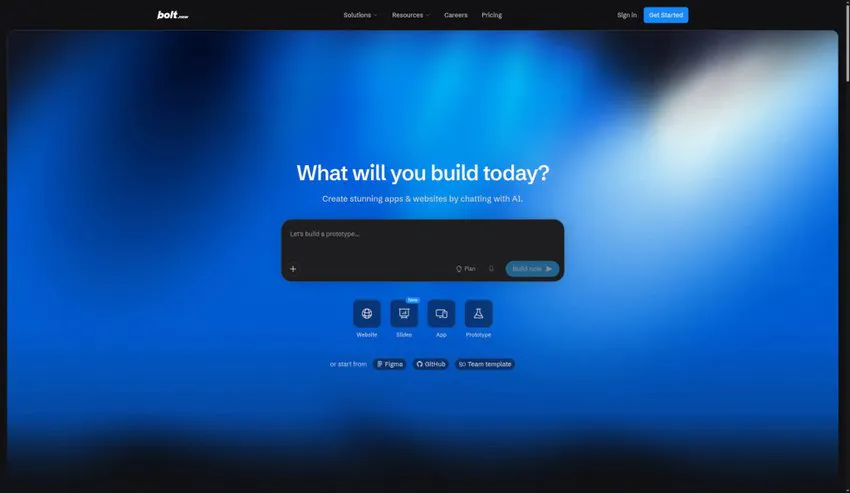
Best for: Developers and makers who want a full Node.js development environment running directly in the browser.
Bolt.new by StackBlitz is a browser-based AI web development agent built on WebContainers. It lets users prompt, run, edit, and deploy full-stack JavaScript and TypeScript applications directly inside the browser without local setup. Developers can install npm packages, spin up Node.js servers, and connect frameworks like Next.js, Astro, Remix, and SvelteKit in seconds.
How it works in practice
Cloud sandboxes stream a remote virtual machine over a laggy connection. Bolt.new runs a real Node.js environment inside your browser tab via StackBlitz WebContainers, so packages install fast, terminal errors show up in real time, and you aren't locked into one frontend framework. You can ask Bolt to scaffold an Astro marketing frontend paired with a Next.js dashboard, inspect the file tree directly in the built-in code editor, and deploy straight to Netlify or Cloudflare Pages.
Main features
- In-Browser WebContainers Engine: Runs full Node.js servers, Vite, Next.js, and Astro builds directly inside Chrome or Edge with zero local configuration.
- Multi-Framework Flexibility: Supports React, Next.js, Astro, Vue, Nuxt, SvelteKit, Remix, and Expo for mobile apps.
- Autonomous Terminal & Package Management: The AI agent reads terminal stack traces, installs missing npm dependencies, and fixes build errors on its own.
- Direct Netlify & GitHub Integration: Push your project to GitHub or publish a live URL to Netlify in one click.
Pricing
Bolt.new has a limited free token allowance for testing. Paid Pro plans start at $20/month for 10M tokens and scale up to $50/month to $200/month for heavy daily prototyping.
Pros and cons
| Pros | Cons |
|---|---|
|
|
3. v0 (by Vercel): Best for production-grade Next.js and Tailwind UI applications

Best for: Frontend engineers, designers, and SaaS teams building on Next.js, Tailwind CSS, and Vercel.
v0 by Vercel is an AI UI and application generator built for the React and Next.js ecosystem. It turns text prompts, wireframes, and Figma screenshots into accessible, responsive components using Tailwind CSS and shadcn/ui. On the full-stack side, v0 also scaffolds Next.js App Router pages, Server Actions, and database integrations ready for Vercel deployment.
How it works in practice
For teams already committed to the Next.js App Router, v0 produces the cleanest frontend code on the market. Because Vercel maintains Next.js, v0 understands React Server Components (RSC), client-versus-server boundaries ("use client"), and modern Tailwind CSS utility patterns better than general-purpose coding tools. Developers can copy individual components into an existing repo using a single npx shadcn@latest add CLI command, or deploy a full multi-page application directly to Vercel's edge network with integrated Postgres or Neon databases.
Main features
- Native Next.js App Router & RSC Support: Generates idiomatic React Server Components, Server Actions, and route handlers that follow official Next.js conventions.
- First-Class shadcn/ui & Tailwind Output: Uses accessible Radix UI primitives and clean Tailwind utility classes rather than messy inline styles.
- Screenshot & Figma-to-Code: Upload a mockup or paste a Figma frame to generate matching responsive React components in seconds.
- One-Command CLI Installation: Pull generated components directly into your local Next.js project via the shadcn CLI.
Pricing
v0 has a Free plan with monthly credit allowances. The Premium plan costs $20/month, while Team plans start at $30/user/month with shared workspaces and higher generation limits.
Pros and cons
| Pros | Cons |
|---|---|
|
|
4. Replit Agent: Best for zero-setup, prompt-to-deployed cloud apps

Best for: Solo founders and operators who want hosting, database, authentication, and AI coding in one cloud workspace.
Replit Agent is an autonomous AI software builder built into the Replit cloud development platform. Users describe their application idea in plain English, and the agent plans the architecture, sets up a PostgreSQL database, writes the frontend and backend code, tests the interface, and deploys the finished app to a live URL without leaving the browser.
How it works in practice
Most vibe coding tools still require you to create separate accounts for GitHub, Supabase, and Vercel or Netlify. Replit Agent puts the whole cloud setup in one dashboard. When you ask for a SaaS tool that processes PDFs with OpenAI and bills users via Stripe, Replit Agent provisions a managed PostgreSQL database, configures environment secrets, writes a Python or Node.js backend alongside a React frontend, and hosts the live app on Replit deployments. There is also a mobile companion app, so you can ship updates from your phone.
Main features
- End-to-End Autonomous Planning: Proposes a step-by-step project roadmap, installs packages, writes backend and frontend code, and verifies the running app.
- Bundled Cloud Infrastructure: Includes built-in PostgreSQL databases, Replit Auth, object storage, and secret management with zero external accounts required.
- Multi-Language Backend Support: Builds with Python (Flask, FastAPI), Node.js, Express, React, and TypeScript.
- Instant Live Hosting & Autoscaling: Publish your application to a production URL with built-in SSL and autoscaling compute directly inside Replit.
Pricing
Replit Core starts at $20/month (billed annually, or $25/month billed monthly) and includes monthly credits toward Replit Agent usage and cloud deployments. Teams plans start at $35/user/month.
Pros and cons
| Pros | Cons |
|---|---|
|
|
5. Cursor: Best AI-native code editor for production engineering
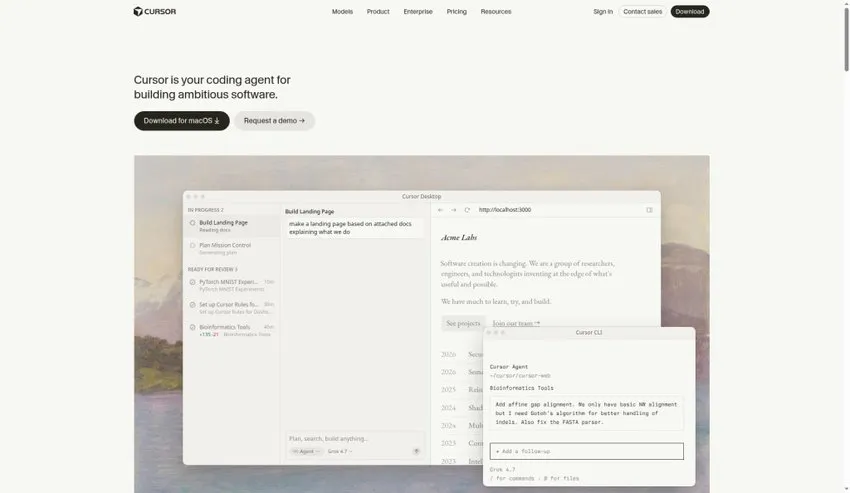
Best for: Software engineers and technical founders building and scaling full production applications.
Cursor is an AI-native code editor built on top of Visual Studio Code that gives developers deep codebase indexing, multi-file agentic editing, and predictive tab autocomplete. Engineers can chat with their entire repository, run terminal commands automatically, and generate or refactor complex features using frontier models like Claude Sonnet, GPT-5, and custom fast-apply models.
How it works in practice
Browser-based app builders are great for getting from 0 to 1, but nearly every serious SaaS product ends up in a local development environment eventually. For that stage, Cursor is our pick. Because it indexes your entire local repository, documentation URLs, and git history, its Agent mode can update a Prisma schema, generate the corresponding Next.js API route, update TypeScript interfaces across twelve files, and run your test suite to verify the build passes. You keep 100% control over your Git workflow, linters, and cloud infrastructure.
Main features
- Full-Repository Context Indexing: Understands how components, database schemas, and utility functions connect across thousands of files.
- Composer & Agent Mode: Autonomously edits multiple files, runs terminal commands, reads linter errors, and iterates until tests pass.
- Predictive Multi-Line Tab Autocomplete: Anticipates your next code edit across lines and files based on recent changes.
- 100% VS Code Extension Compatibility: Import all your existing VS Code themes, keybindings, ESLint rules, and Git extensions in one click.
Pricing
Cursor has a Free Hobby tier with limited completions. Cursor Pro is $20/month, Ultra is $200/month for power users, and Teams costs $40/user/month with centralized billing and privacy controls.
Pros and cons
| Pros | Cons |
|---|---|
|
|
6. Windsurf: Best agentic IDE for deep context and multi-file flows

Best for: Developers and engineering teams who want a guided, flow-state agentic IDE for less than most AI editors cost.
Windsurf (built by Codeium) is an agentic AI development environment powered by its Cascade engine. It combines deep repository awareness with autonomous command execution, live in-editor browser previews, and real-time collaborative coding flows. Windsurf tracks your manual cursor edits, terminal actions, and clipboard context automatically so the AI keeps up without repetitive prompting.
How it works in practice
Windsurf works best on interconnected full-stack features where manual edits and AI generation happen side by side. Its Cascade agent tracks what you just changed in a configuration file or terminal session and factors that into its next suggestion without requiring you to manually @-mention every file. It also has a built-in preview browser that lets you click elements in your running localhost app and send their DOM context straight into the Cascade prompt panel for quick UI fixes.
Main features
- Cascade Agentic Flow: Tracks your recent file edits, terminal output, and navigation history automatically to maintain shared context.
- In-IDE Interactive App Preview: Inspect and select elements from your running localhost web app to target UI fixes with pinpoint accuracy.
- One-Click Netlify Deployment: Ship web applications directly from the IDE to a live preview URL without leaving your coding window.
- Enterprise-Grade Security Options: Offers strict zero-data-retention policies and self-hosted enterprise deployment options for regulated teams.
Pricing
Windsurf has a generous Free tier for individual developers. Windsurf Pro starts at $15/month, and Teams plans start at $30/user/month.
Pros and cons
| Pros | Cons |
|---|---|
|
|
7. Bubble AI: Best visual no-code platform for complex web apps
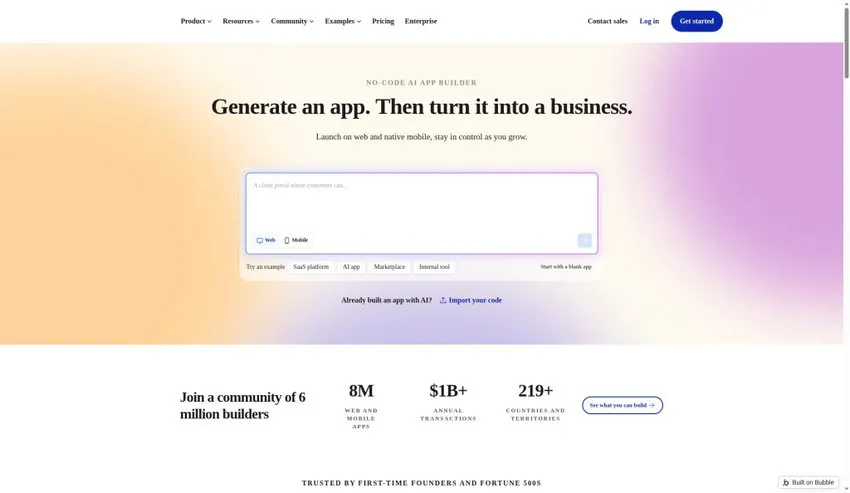
Best for: Non-technical founders building database-heavy marketplaces, SaaS platforms, and internal web apps without touching code.
Bubble AI brings generative AI app creation to the industry's most mature visual no-code platform. Users describe their product requirements, and Bubble generates a custom page layout, relational database schema, and backend workflow logic. From there, builders use Bubble's drag-and-drop visual editor and plugin ecosystem to customize every conditional rule, API call, and user permission.
How it works in practice
Vibe coding tools like Lovable and Bolt generate React code. Bubble keeps everything visual. When Bubble AI scaffolds your application, it creates native Bubble data types, privacy rules, and event-driven workflows that you can inspect visually without reading TypeScript. That makes Bubble a strong fit for non-technical founders who plan to maintain the logic themselves long term and want access to thousands of pre-built plugins for Stripe, SendGrid, Algolia, and OpenAI.
Main features
- AI App & Database Generator: Converts a structured prompt into multi-page responsive layouts paired with a working relational database schema.
- Visual Workflow Engine: Build complex conditional logic, scheduled backend cron jobs, and webhook listeners using point-and-click flowcharts.
- Built-In Privacy & Role Rules: Configure row-level data access rules visually so users only see records they own.
- Large Plugin Marketplace: Connect hundreds of payment processors, analytics tools, and external APIs without writing wrapper code.
Pricing
Bubble has a Free plan for learning and building. Paid live plans start at $29/month (billed annually, or $32/month monthly) for the Starter tier and scale up based on monthly Workload Units (WU).
Pros and cons
| Pros | Cons |
|---|---|
|
|
8. Softr AI: Best for client portals, CRMs, and internal business tools
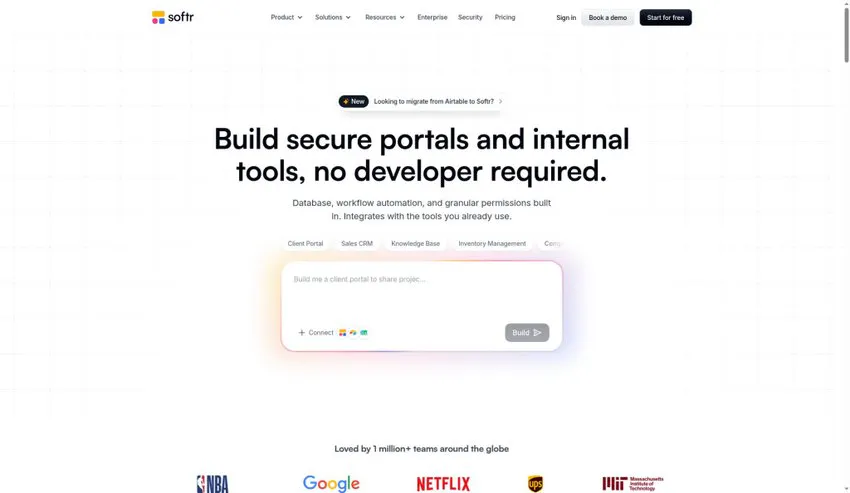
Best for: Operations teams and agencies turning Airtable, Notion, HubSpot, or SQL databases into polished client portals.
Softr AI is a no-code web app builder built for client portals, partner directories, and internal company tools. Its AI app generator creates a complete multi-page application with user roles, data tables, Kanban boards, and forms in under a minute, connecting directly to data sources like Airtable, Google Sheets, Notion, HubSpot, and PostgreSQL.
How it works in practice
Not every web application needs a custom React codebase or complex state management. If your company already stores customer records in Airtable, HubSpot, or a SQL database and just needs a secure login portal where clients can view project status, approve deliverables, and pay invoices, Softr AI is built for exactly that job. Instead of prompting an AI to build CRUD tables from scratch, you connect your live data source and configure granular role-based permissions in minutes.
Main features
- 15+ Native Data Source Connectors: Syncs two-way in real time with Airtable, Notion, Google Sheets, HubSpot, Supabase, PostgreSQL, MySQL, and Rest APIs.
- Granular Role-Based Permissions: Control exactly which pages, blocks, and database rows each logged-in user group can view or edit.
- Pre-Built Business Blocks: Drop in ready-made Kanban boards, charts, calendar views, Stripe checkout forms, and user profile directories.
- PWA & Custom Domain Support: Publish portals under your own brand domain with installable Progressive Web App support.
Pricing
Softr has a Free plan for up to 10 app users. Paid plans start at $49/month (Basic, billed annually) and $139/month (Professional) for larger user counts and advanced data sources.
Pros and cons
| Pros | Cons |
|---|---|
|
|
9. Glide AI: Best for mobile-first operational and field apps
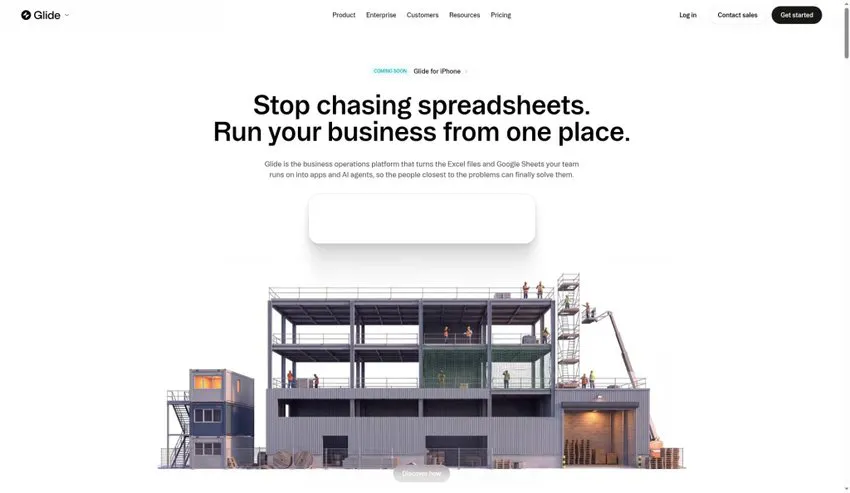
Best for: Businesses building mobile-friendly field service, inventory, and workflow apps backed by spreadsheets or SQL.
Glide AI turns business data from Google Sheets, Excel, Airtable, and SQL databases into clean, mobile-adaptive web applications for field and operations teams. It includes built-in AI workflow steps that extract structured data from uploaded receipts, summarize customer notes, transcribe audio recordings, and classify support tickets automatically inside your company's operational app.
How it works in practice
Softr is strongest on desktop client portals. Glide is the better fit for mobile-first operational software used by teams on the move. Its layout engine automatically adapts every screen into a touch-friendly interface that feels like a native iOS or Android app. Glide AI also adds native AI data columns that run inside your tables to parse images, extract invoice totals, and generate automated text summaries whenever a worker submits a form.
Main features
- In-Table AI Data Columns: Automatically run document extraction, image-to-text, sentiment analysis, and audio transcription inside your app's data tables.
- Adaptive Mobile-First Design: Every component renders with smooth mobile navigation, barcode scanners, signature pads, and GPS location capture.
- High-Scale Data Sources: Connect Glide Big Tables (up to 10 million rows), PostgreSQL, MySQL, Snowflake, and Google BigQuery.
- Automated Action Workflows: Trigger Slack alerts, Gmail messages, webhook calls, and PDF generation from a single button tap.
Pricing
Glide has a Free tier for personal testing. Paid business plans start at $19/month (Starter), $49/month (Maker), and $199/month (Team, billed annually).
Pros and cons
| Pros | Cons |
|---|---|
|
|
10. WeWeb AI: Best for visual enterprise frontends with custom backends
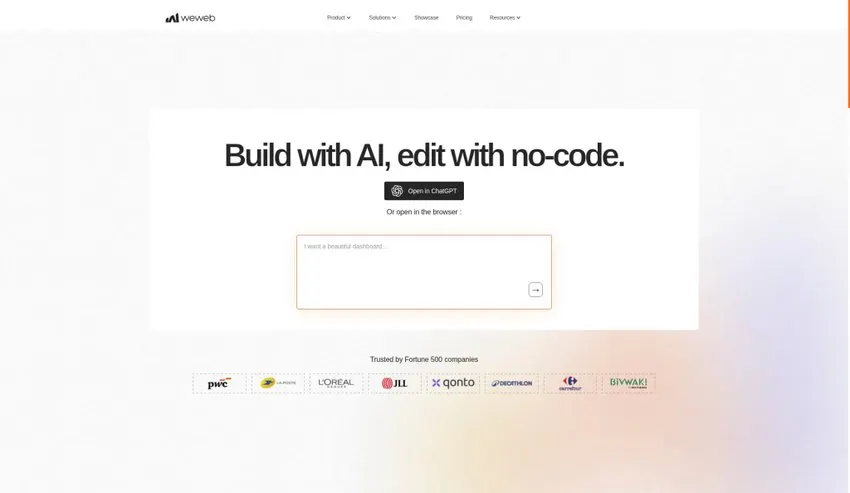
Best for: Agencies and technical teams building scalable, decoupled web apps on top of Supabase, Xano, or REST APIs.
WeWeb AI is a visual frontend builder made for developers and low-code architects who follow a decoupled Jamstack approach. Its AI assistant generates responsive UI layouts, custom JavaScript formulas, and data bindings from natural-language prompts, while letting you connect any external backend such as Supabase, Xano, FastAPI, or GraphQL with full Vue.js code export options.
How it works in practice
Traditional no-code tools tie you to their slow built-in database, and pure AI code generators leave you managing raw code files. WeWeb sits between the two: it separates the presentation layer from the backend, the same way a headless architecture does. You can use WeWeb AI to scaffold complex data grids, multi-step forms, and custom Vue.js components visually, bind them to a Supabase or Xano backend, and export the standard Vue.js single-page application to host on your own cloud servers.
Main features
- AI UI & Formula Assistant: Prompt WeWeb AI to generate responsive sections, write custom JavaScript/no-code filter formulas, and style components.
- Backend Decoupling: Native plugins for Supabase, Xano, REST APIs, GraphQL, Airtable, and Auth0/Clerk authentication.
- Visual + Custom Code Freedom: Drop into custom JavaScript actions, import npm packages, or build custom Vue.js components whenever visual blocks aren't enough.
- Self-Hosting & Code Export: Export the compiled Vue.js frontend application on eligible plans to deploy on your own AWS, Vercel, or enterprise servers.
Pricing
WeWeb has a Free workspace for building and testing. Live production plans start at $39/month (Starter, billed annually) and scale up for code export and team collaboration seats.
Pros and cons
| Pros | Cons |
|---|---|
|
|
How to choose the right AI app builder (and when to move to custom Next.js or Astro)
Picking a platform in 2026 comes down to three questions: who will maintain the product in six months, do you need to own the source code, and how much does your app depend on organic search traffic?
- For fast full-stack SaaS prototypes with code export, choose Lovable, Bolt.new, or v0 by Vercel. All three generate real React or Next.js code you can push to GitHub and hand to an engineering team later.
- For developer-led production builds, use Cursor or Windsurf with a stack like Next.js, Tailwind CSS, and Supabase. You get the speed of AI generation and keep control of the architecture.
- For internal portals and operations tools, pick Softr AI or Glide AI. There is no reason to maintain custom React code for an internal inventory tracker or an Airtable client portal.
- For SEO-critical marketing sites and high-scale SaaS platforms, be careful with client-side SPA builders. Many AI app generators output client-rendered React or Vue bundles that struggle with Core Web Vitals, dynamic OpenGraph metadata, and programmatic SEO at scale.
When to bring in an engineering studio
We often work with founders who validate their MVP and land their first paying customers using Lovable, Bolt.new, or Bubble, and then hit a wall with database performance, security audits, or search engine rankings.
The setup that works best for B2B SaaS brands in 2026 is a hybrid architecture:
- Run your marketing site, comparison pages, and documentation on Next.js or Astro paired with one of the best headless CMS platforms for Next.js so pages load fast and rank in search.
- Host your authenticated web application on a subdomain (app.yourdomain.com) with hardened database security, clean TypeScript architecture, and custom UI motion design.
If you have an AI prototype that needs to become a fast, production-ready SaaS platform, or a marketing site that has to convert, take a look at our custom web development and SaaS design services.
Note: Our editorial team picked and reviewed every tool here independently. Features and prices are accurate as of October 2026, so check each provider's official website before you decide.
Frequently asked questions (FAQ) about AI app builders and vibe coding
An AI website builder (such as Wix AI, Durable, or Hostinger AI) creates content-focused pages like landing pages, portfolios, and blogs. An AI app builder or vibe coding platform (such as Lovable, Bolt.new, or Replit Agent) generates interactive software with user logins, relational databases, API integrations, and dynamic business logic.
Vibe coding means building working software mostly by describing features, user flows, and fixes in natural language to an AI coding agent (such as Cursor, Lovable, Bolt.new, or Replit Agent) rather than typing every line of syntax by hand.
Lovable, Bolt.new, v0 by Vercel, and Replit Agent all let you export or sync full source code (typically React, Next.js, TypeScript, and Tailwind CSS) to GitHub. Local AI code editors like Cursor and Windsurf work directly on your own local files from day one. Bubble, Softr, and Glide, on the other hand, host your app on their proprietary platforms without raw source code export.
Yes, especially for MVPs and early-stage SaaS products. However, before accepting customer payments or storing sensitive data, a developer should review your Supabase Row Level Security (RLS) rules, API key exposure, webhook validation, and rate limits, as AI-generated defaults often leave database tables overly permissive.
Supabase (managed PostgreSQL with built-in authentication and edge functions) is the most widely supported backend across Lovable, Bolt.new, v0, and WeWeb. Neon (serverless Postgres), Firebase, and Xano are also popular choices depending on your stack.


